

Installation Support
Quick install guides for 4 common home set ups

Main Panel Install
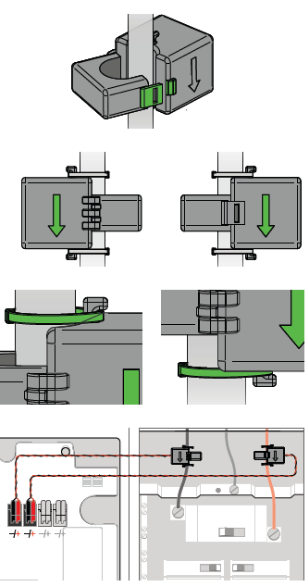
-
Important: if you are on-site doing an install with a main panel & subpanel combination, and don’t have 2 pairs of CT’s, stay on site and call customer support immediately.
Main panel AND subpanel sides of CT’s are securely clipped on and zip tied.
Ensure pigtail sides of CT’s are secured into the Tap’s Wago connectors. Be mindful of inserting the pigtail pairs into the correct “Main Panel” and “Subpanel” connections. Do a light pull test to ensure they’re fully inserted.
-
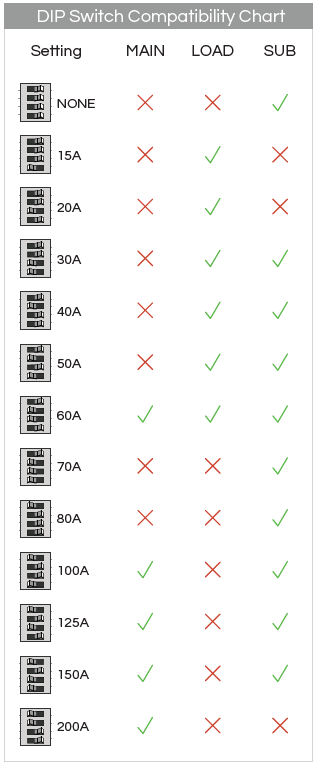
For each of the 3 dip switches, check that the dip switch is configured correctly. The subpanel’s dip switch shall match the subpanel’s main breaker rating.
Meter Main or Combo Meter Install

Subpanel Install

-
If LINE side input reads 220-240V and LOAD side output is seeing a huge voltage drop on, you may have loose connections
On the other hand, if LOAD out is 0V , the Tap is load shedding when it shouldn’t be. Move onto the next step
-
Ensure panel sides of CT’s are securely clipped on and zip tied.
Ensure pigtail sides of CT’s are secured into the Tap’s Wago connectors. Do a light pull test to ensure they’re fully inserted.
-
For dip switches “Main” and" “Load”, check the dip switches are configured correctly. If there’s no subpanel, leave the subpanel dip switch alone
Solar-Enabled Home Install

-
Ensure the main panel CT’s grab onto the main panel only. If there is a line side tap solar and it is near the main panel line, be sure to only clip onto main panel’s mains. Ensure CT’s are secured and zip tied.
Ensure pigtail sides of CT’s are secured into the Tap’s Wago connectors. Be mindful of inserting the pigtail pairs into the correct “Main Panel” connections. Do a light pull test to ensure they’re fully inserted.
-
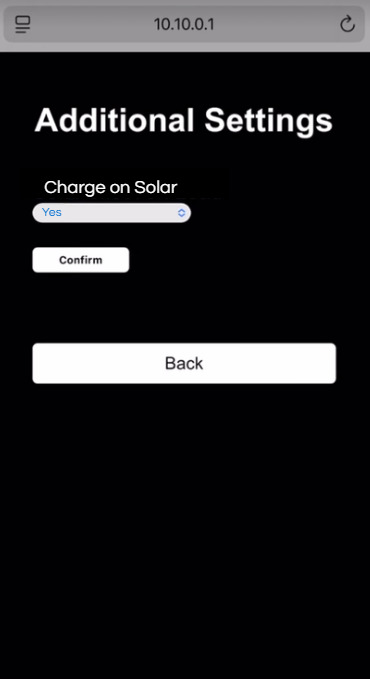
Using your smart phone, connect to the Stepwise WiFi “EV-Tap”, with password “stepwise”. Once WiFi is connected, it will say “no internet connection.” That is normal.
Open a web browser and type into the website bar 10.10.0.1, then hit enter. If it doesn’t work, try using Google Chrome browser. A Stepwise screen should appear.
-
From the Stepwise screen : Select “3. Solar Settings”, then confirm the solar breaker setting. Finally, hit “Confirm”.
More Resources

FAQ’s

Product Spec Sheet
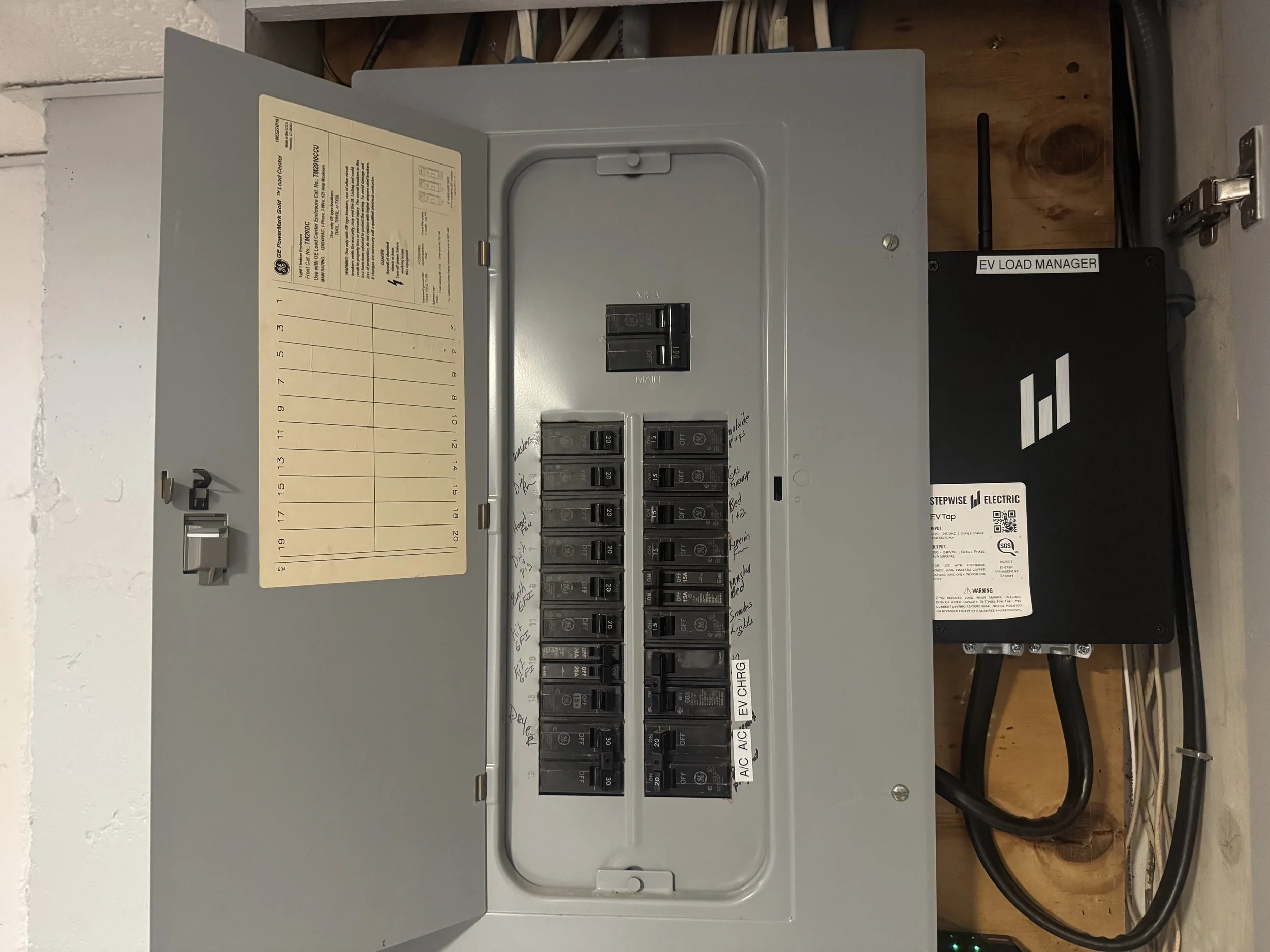
All Product Docs